Tips for Creating a Cozy and Productive Home Workspace

Creating a comfortable and efficient home workspace is essential for anyone working remotely or spending significant time on projects at home. A well-designed area can help you focus, feel motivated, and separate work life from personal life. Here are practical tips to help you create a cozy and productive home workspace that suits your needs.
Choose the Right Location
Find a Quiet Spot
Select a location in your home that is quiet and has minimal distractions. A corner of your bedroom, a spare room, or a section of the living room can work well depending on your space availability.
Consider Natural Light
Natural light can boost your mood and energy levels. Try to place your desk near a window to take advantage of daylight, but avoid glare on your screen by positioning your monitor carefully.
Invest in Comfortable Furniture
Ergonomic Chair and Desk
Choose a chair that supports good posture and a desk with enough space for your computer and work materials. Ergonomics help reduce physical strain during long work hours.
Add Personal Touches
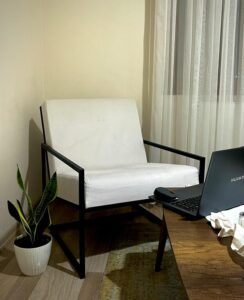
Incorporate cushions, a soft throw blanket, or your favorite artwork to make your space more inviting and uniquely yours.
Organize for Efficiency
Keep It Clutter-Free
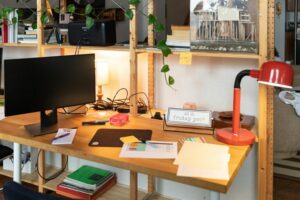
A tidy desk helps clear your mind. Use organizers, trays, or drawers to store supplies and documents out of sight.
Use Cable Management
Tangled cords can be distracting and hazardous. Use clips, sleeves, or boxes designed to keep cables organized and tidy.
Optimize Lighting
Layer Your Lighting
Combine natural light with overhead lighting and task lights like desk lamps. Adjustable lighting helps reduce eye strain and creates a warm atmosphere.
Use Warm Light Bulbs
Warm white bulbs (around 2700K to 3000K) create a cozy environment that encourages relaxation and focus.
Add Greenery and Decor
Include Plants
Plants can improve air quality and bring life to your workspace. Choose low-maintenance options like succulents or pothos if you’re new to plant care.
Personalize Your Space
Display photos, inspirational quotes, or objects that motivate you. However, avoid overcrowding to maintain a peaceful environment.
Manage Noise Levels
Use Soft Materials
Curtains, rugs, and cushions absorb sound and reduce echo, making your workspace quieter.
Consider Noise-Canceling Headphones
If you can’t control ambient noise, headphones can help you concentrate by blocking out distractions.
Set Boundaries and Routine
Define Work Hours
Establish clear start and end times for your workday to maintain work-life balance.
Create Rituals
Develop routines like morning stretches or a cup of tea before starting work to signal your brain it’s time to focus.
Incorporate Technology Wisely
Prioritize Essential Devices
Keep only the tools you need on your desk. Extra screens, chargers, or gadgets should be organized or stored away.
Use Productivity Apps
Tools like calendars, to-do lists, and focus timers can help manage your workload effectively.
Take Breaks and Move
Schedule Regular Breaks
Step away from your workspace periodically. Short breaks improve focus and prevent burnout.
Move Your Body
Stretch, take a walk, or do light exercises to refresh both mind and body.
—
Creating a cozy and productive home workspace doesn’t require a large budget or a dedicated room. By thoughtfully arranging your space, paying attention to comfort, and using smart organizational strategies, you can build an environment that enhances your well-being and work efficiency. Start with one or two changes and adjust your setup as you discover what works best for you.